5 Ways Notification Fatigue Destroys Your Productivity
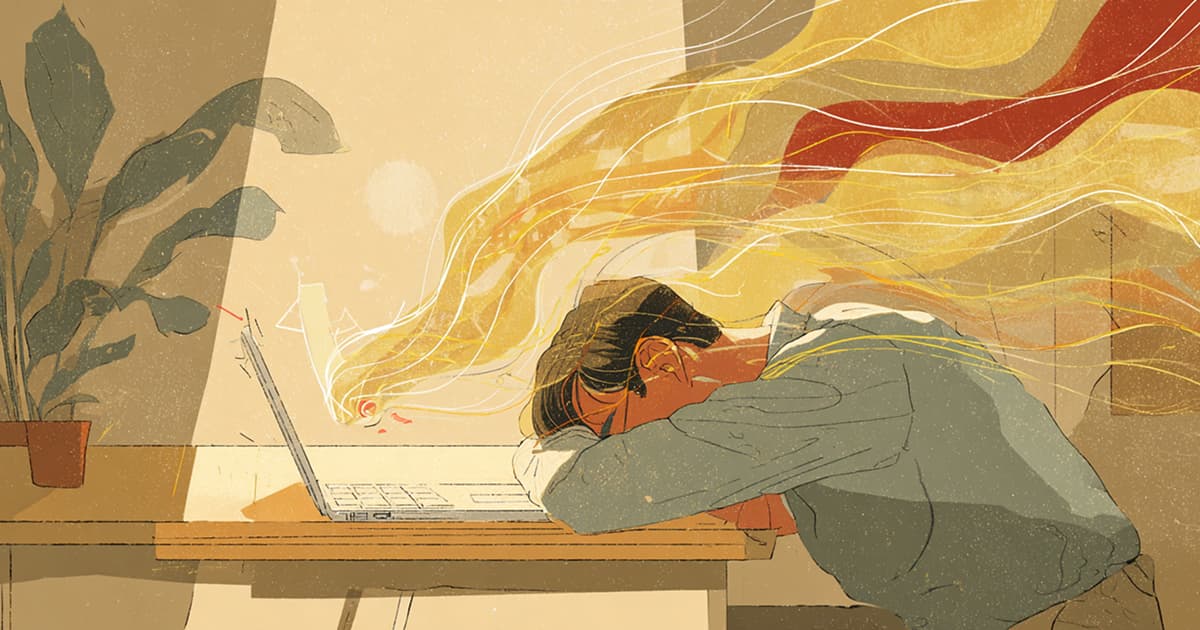
You wake up, check your phone, turn on your computer at work, and notifications flood in. 47 Slack messages, 23 emails, 12 Notion updates... Do you feel exhausted even before your day begins?
Modern office workers receive an average of over 100 notifications per day. It's common to use 5-10 work tools including Slack, email, Notion, Figma, GitHub, and Jira. Notifications pouring in from each tool slowly erode our focus and productivity.
This phenomenon is called 'Notification Fatigue.' It's a state where you miss truly important information while consuming energy on unnecessary notifications due to excessive alerts. Notification fatigue isn't just annoying—it seriously impacts work performance and mental health.
Today, let's explore 5 specific ways notification fatigue undermines productivity and how to solve it.
1. Destroys Focus: Makes Deep Work Impossible
The 23-Minute Rule
According to research from the University of California, it takes an average of 23 minutes to return to your original state of concentration after being interrupted at work.
Imagine this: You're focused on an important project when a Slack notification pops up. "It's not urgent, but..." you think as you check it. It's just 30 seconds, but to resume coding or writing, you need to recall where you left off.
If you're interrupted just 10 times a day, that's 230 minutes—nearly 4 hours—spent recovering focus. When do you actually work?
Trapped in Shallow Work
In an environment with frequent notifications, 'Deep Work' requiring deep thinking becomes impossible. Instead, you repeat 'Shallow Work' like checking emails and replying to messages.
Deep Work: Strategic planning, code architecture design, creative problem-solving
Shallow Work: Checking notifications, simple replies, scheduling meetings
The productivity paradox: You've been busy all day, but feel like you haven't accomplished anything important. This is the most typical symptom of notification fatigue.
2. Decision Fatigue: Paralyzes Your Judgment
Flood of Decisions
From waking up to going to sleep, we make thousands of decisions. Among them, notifications demand particularly many decisions.
- "Should I reply to this message now or later?"
- "Is this notification important or can I ignore it?"
- "Should I check this update?"
- "How should I phrase my reply?"
Each is a small decision, but when repeated dozens of times daily, Decision Fatigue accumulates.
Deteriorating Judgment
What happens when decision fatigue builds up?
- Quality of important decisions drops: By afternoon, you think "let's just do it this way" without proper consideration.
- Priority judgment blurs: You mistake non-urgent notifications for urgent ones or postpone truly important tasks.
- Avoidance tendency strengthens: Exhausted by too many decisions, you avoid or postpone decision-making altogether.
This is why Steve Jobs and Mark Zuckerberg wear the same clothes every day—to reduce trivial decisions and focus decision-making energy on what matters.
3. Increases Stress and Anxiety: Harms Mental Health
FOMO (Fear of Missing Out)
Do you feel anxious when you see the red dot (unread notification badge)?
"What if I missed an important message?" "What if there's a critical update only I don't know about?"
This 'Fear of Missing Out (FOMO)' is a major source of chronic stress for modern workers. Not checking notifications makes you anxious, but checking them creates new tasks and pressure.
Always-On State
The habit of reflexively checking your phone when it buzzes puts our brain in an 'Always-On' state.
- Slack notifications bother you even after work
- You check emails even on weekends
- You can't turn off work notifications even on vacation
This makes true rest impossible. If your body rests but your brain doesn't, prolonged stress leads to burnout.
Elevated Cortisol Levels
Each time a notification sounds, our body releases cortisol, the stress hormone. Occasional instances are fine, but repeated all day creates chronic stress.
Chronically high cortisol levels cause:
- Sleep disorders
- Weakened immunity
- Reduced concentration
- Increased depression
4. Missing Important Information: Failing to Distinguish Signal from Noise
The Boy Who Cried Wolf
Remember 'The Boy Who Cried Wolf'? When you hear false alarms too often, you fail to react when real danger arrives.
Notifications work the same way. If you receive 100 notifications daily and 95 are 'not urgent to check right now,' the remaining 5 truly important ones get buried.
Notification Blindness
Too many notifications lead to 'Notification Blindness.'
- You develop a habit of ignoring notifications
- You think "I'll check it later" and postpone
- Eventually, you miss important messages too
Many workers experience:
- "I didn't see that message" (It came but got buried in notifications)
- "I posted it in Slack, didn't you see it?" (Too many notifications to catch)
- "It was an urgent email..." (Buried among dozens of emails)
Priority Inversion
The experience of spending the whole day replying to Slack messages instead of preparing for an important strategic meeting—this is priority inversion caused by notification fatigue.
Notifications masquerade as 'urgent,' but most are 'not important.' However, constantly responding to pinging notifications means truly important but non-urgent work (long-term projects, learning, strategic planning) keeps getting postponed.
5. Leads to Burnout: Long-term Productivity Collapse
Accumulation of Small Stresses
The stress from one notification is negligible. But what about 100 per day, 2,000 per month, 24,000 per year?
One pebble is light, but if they keep piling up in your backpack, at some point the weight becomes unbearable. Notification fatigue works the same way.
Signs of Burnout
When notification fatigue accumulates, these burnout symptoms appear:
- Helplessness: Feeling that "nothing I do matters"
- Cynicism: Decreased interest and passion for work
- Reduced efficacy: Thinking "I'm bad at my job"
- Physical symptoms: Chronic fatigue, headaches, insomnia
Especially conscientious and responsible people are more vulnerable to burnout because they tend to obsess over "responding quickly to every notification."
Long-term Productivity Collapse
Short-term, quickly responding to notifications may seem 'productive.' But long-term:
- Creativity decreases
- Problem-solving ability declines
- Strategic thinking becomes difficult
- Performance ultimately drops
Burnout can take months to years to recover from. Neglecting notification fatigue is like mortgaging your long-term career for short-term productivity.
Solutions: 3 Strategies to Escape Notification Fatigue
1. Notification Diet
Don't turn off all notifications—just keep the truly important ones
- Keep ON only notifications requiring immediate attention: urgent messages, system outage alerts, etc.
- Check the rest at scheduled times: emails 2-3 times daily, Slack every hour
- Check without notifications: Visit tools like Notion and Figma directly when needed
2. Batch Processing
Don't process notifications in real-time—batch them at scheduled times
For example:
- 10 AM: Batch check and reply to Slack messages (30 min)
- 2 PM: Batch process emails (30 min)
- 5 PM: Daily wrap-up and tomorrow's prep (30 min)
This way, the rest of your time is fully dedicated to focused work.
3. AI-Powered Summary
Instead of checking every notification individually, just review AI-summarized content
This is exactly what Daigest does:
- Receive a single morning email summarizing updates from Slack, Notion, Figma, GitHub, and more
- Filter for what truly matters: AI judges importance and shows only what you need to check
- Search functionality: Easily search past summaries, instantly answering questions like "What was discussed last time?"
Instead of checking 100 notifications individually, grasp all important updates with one 5-minute summary.
FAQ: Common Questions About Notification Fatigue
Q1. Won't I miss important messages if I turn off notifications?
A. Actually, the opposite is true. Too many notifications increase the chance of missing important messages. Reducing notifications and checking at scheduled times means you focus better, lowering the probability of missing critical content.
Q2. My colleagues expect quick replies. What should I do?
A. Team culture needs improvement. Share the understanding that "immediate reply ≠ diligence" but rather "deep work = true productivity." Many successful teams are adopting "asynchronous communication" culture.
Q3. How do I distinguish notification fatigue from just being tired?
A. If you have these symptoms, it's likely notification fatigue:
- Feeling stressed just hearing the notification sound
- Feeling anxious seeing the red dot (unread badge)
- Feeling busy all day but accomplishing nothing important
- Work notifications still bothering you after work hours
Q4. How many notifications per day is appropriate?
A. Research suggests 20-30 notifications per day is optimal. While it varies by job type, exceeding 50 increases the likelihood of experiencing notification fatigue.
Q5. Does reducing notifications really improve productivity?
A. Yes, many studies support this. Productivity experts say that at least 2 hours of uninterrupted time is needed for meaningful work. In fact, with 2-4 hours of distraction-free focus, you can accomplish more in a morning than a whole week of fragmented work.
Conclusion: Control Your Notifications, or They'll Control You
Notification fatigue is the hidden productivity killer of modern workers. It destroys focus, paralyzes decision-making, increases stress, causes you to miss important information, and ultimately leads to burnout.
But there's good news: Notification fatigue is a solvable problem.
3 Things You Can Start Today
- Turn off unnecessary notifications: Settings → Notifications → Keep only truly urgent ones
- Check at scheduled times: Batch processing instead of real-time reaction
- Use automated summary tools: Reduce notification burden with tools like Daigest
Become the master of your notifications, not their slave. Create an environment where you can focus on what truly matters.
Daigest delivers a single morning summary of updates from Slack, Notion, Figma, and GitHub.
One 5-minute summary replaces 100 daily notifications.